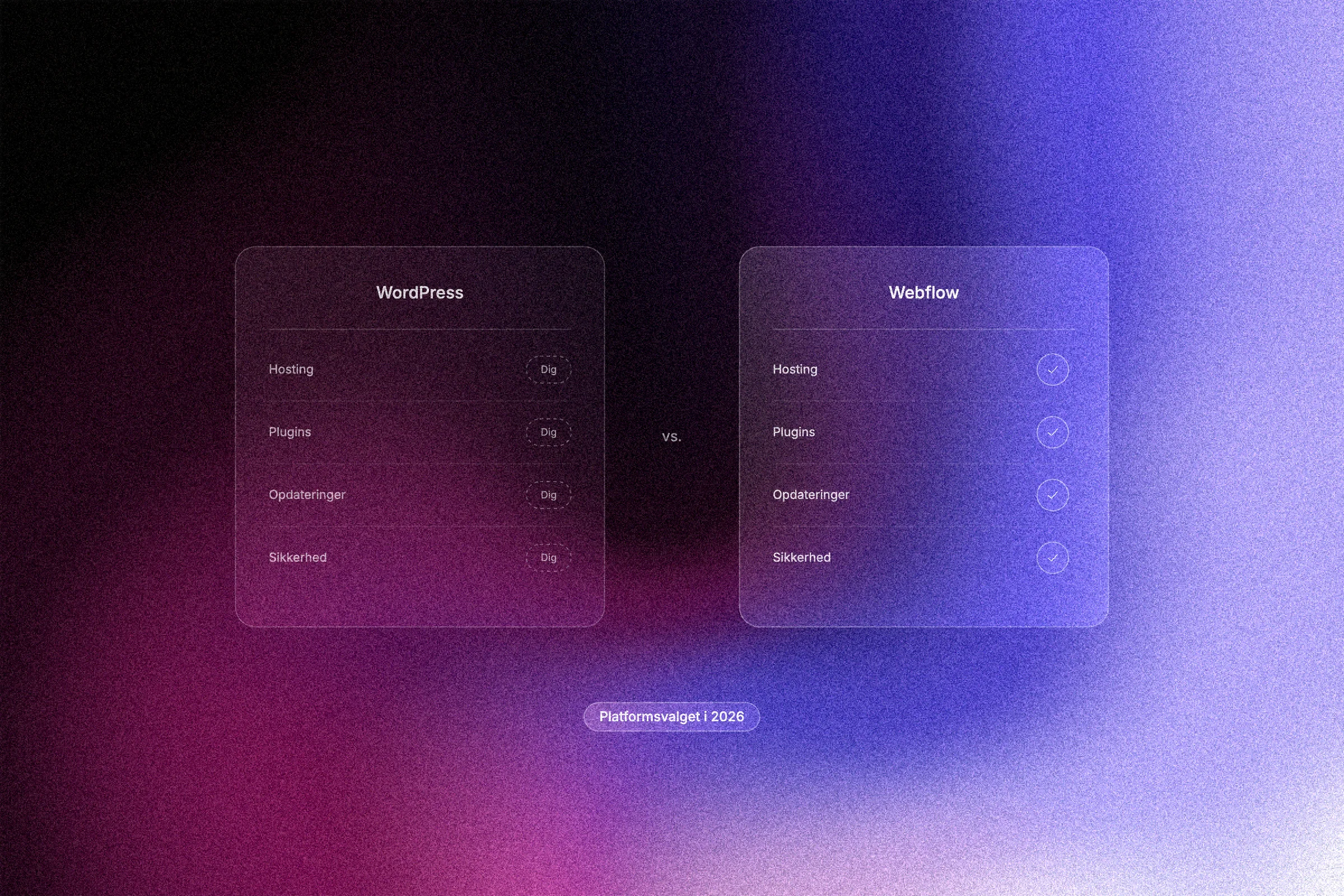
For years, the choice between Webflow and WordPress has been dominated by one argument: WordPress is cheaper and more flexible. That argument no longer holds. After Webflow restructured its pricing in May 2026, the basis on which many businesses made their platform decision has fundamentally changed.
This article is not a neutral comparison. It starts from the view that most businesses today have stronger reasons to choose Webflow than ever before, and that the WordPress arguments are outdated for many use cases. We go through what changed with the 2026 update, what the two platforms really cost in practice, and where your time and budget actually go. You also get a clear overview of design, CMS flexibility, AI features and future-proofing.
What actually changed with Webflow's 2026 update?
In May 2026, Webflow restructured its pricing model significantly. The previous split between the CMS and Business site plans was replaced by a single Premium plan, and with it came a capacity increase that changes the basic maths for businesses comparing platforms.

The key specifications of the Premium plan at launch:
CMS items: up to 20,000 (previously 2,000 on the CMS plan)
CMS collections: up to 40 (previously 20)
Static pages: up to 300 (previously 150)
That means content volumes that used to require a more expensive enterprise tier are now available on the standard plan. For a business with a blog, case studies, product pages and a news archive, 20,000 items is more than enough.
Hosting, SSL and a CDN are included in the price, which puts the total cost of ownership in direct competition with a typical WordPress setup, where hosting, security plugins, backups and SEO tools are added on top of the base price. Check Webflow's pricing page for current figures, as prices change.
The update also included AI credits for workspace plans. AI tooling is now integrated directly into the Webflow Designer and covers layout assistance, content optimisation and SEO suggestions without third-party plugins.
At Aarland, we have followed the update closely as a certified Webflow partner. Our assessment is clear: it removes the argument that WordPress is the cheaper and more flexible choice for businesses with normal content needs.
The real price: what do the two platforms cost in practice?
The numbers tell an important story once you look beyond the first monthly price.
WordPress appears to start cheap, but a real setup quickly needs more: a premium theme, a security plugin, a backup solution, an SEO plugin and a forms tool. A broader setup with security plugins, backups and SEO tools can easily cost many times the hosting price alone, and that is before developer hours for updates and bug fixes.
On Webflow, hosting, SSL and CDN are included. There are no extra layers of plugins to pay for and keep up to date.
WordPress maintenance is not free in practice either. Plugin updates, compatibility checks and occasional conflicts between components require either regular developer hours or internal time that should be spent elsewhere. It is a hidden cost that rarely appears in the initial price comparison.
For businesses buying a website from an external supplier, the platform price itself is often secondary, as it is part of the overall project budget. What really separates the platforms is the ongoing maintenance cost after launch.
Maintenance and security: where do your time and budget go?
Beyond the running costs there is another dimension: who carries the technical responsibility?
WordPress is open source, which means responsibility for updates lies with you. Core, theme and plugins must be kept current. Neglected updates are a documented risk factor, and update discipline is therefore not optional but ongoing technical readiness. On Webflow, your business does not have to deal with server administration or security patches; that is Webflow's responsibility, not yours.
Plugin conflicts are a structural problem in WordPress, because a site typically depends on 10 to 20 separate plugins from different developers with independent update cycles. In Webflow, functionality is native to the platform, and that kind of conflict simply does not exist in the same form.
GDPR compliance is easier to manage on Webflow, because a standard setup involves fewer third-party plugins with unknown data practices. The fewer external components that process user data, the more manageable the compliance documentation.
For businesses without an in-house IT department, this is decisive. Webflow's operating model moves the technical burden from the client to the platform. That frees up time and budget that would otherwise go to maintenance, for growth and content instead.
Design, flexibility and CMS: who wins when?
Webflow is built from the ground up for visual design at code level. Designers and agencies get full control over HTML, CSS and animations in a visual interface, without writing code by hand. That is the core of the architecture: what you design is exactly what is compiled to production.
WordPress has improved the design experience with the Block Editor and Site Editor, but both are layers built on top of a CMS that was originally a blogging system. The flexibility is real, but it depends on themes, block libraries and plugin combinations that rarely give the same precision as Webflow's native design control.
WordPress does still have a structural advantage in specific scenarios: complex, custom data models and integration needs that require custom plugin development. Advanced e-commerce setups with specialised inventory logic or industry-specific platform integrations are examples where WordPress' open plugin economy gives real flexibility.
For businesses that want an exclusive, performance-optimised digital design, the choice is more straightforward. Webflow is built with designers and agencies as its primary audience, and that is reflected in what is possible without compromise.
AI and future-proofing: which platform is ready for what comes next?
In 2026, Webflow has integrated AI tooling directly into the Designer: layout assistance, automatic optimisation of CMS content and AI-driven SEO suggestions are available on paid plans without installing a single external plugin.
WordPress' AI capabilities depend on third-party plugins with independent update cycles. For a business that wants to use AI actively in its content and visibility work, that is a structural weakness, not just a practical nuisance.
The direction of the platform matters as much as current functionality. Webflow is a single SaaS company with a coordinated roadmap, while WordPress' direction is distributed across thousands of separate plugin developers without central control. That gives very different predictability for a business planning three to five years ahead.
On performance, the advantage is concrete: Webflow is optimised to deliver strong Core Web Vitals scores because it compiles to clean HTML, CSS and JavaScript. Core Web Vitals are not a technical detail; they directly affect organic visibility in search results.
When is WordPress still the right choice?
Everything above points to Webflow as the stronger choice in 2026, but there are scenarios where WordPress is still the right answer.
Large editorial platforms with hundreds of simultaneous users, granular user roles and custom editorial workflow management are still WordPress' home ground.
Existing, well-functioning WordPress setups with a dedicated internal maintenance resource rarely make a clear business case for migration. The platform switch is not an argument in itself, and migration costs typically outweigh any ongoing savings if the current setup works.
Open-source ownership of all files, databases and code is a real requirement in some regulated environments. Public institutions and businesses in sectors with strict data obligations or self-hosting requirements cannot always accept a SaaS platform with externally hosted infrastructure.
Complex WooCommerce setups with specialised e-commerce logic, industry-specific inventory systems or deep ERP integrations have often been developed over years and represent an investment that in many cases cannot rationally be replaced by a new platform.
The point is not that WordPress is outdated. It is a mature, stable platform with a large global developer pool. The point is that the argument for WordPress as the cheaper and more flexible choice for most businesses does not hold after Webflow's 2026 pricing change. The scenarios where WordPress still wins are specific and well defined.
When is Webflow the clear choice for your business?
You want a unique design that does not require developer hours for every update. Webflow gives designers and agencies full visual control over layout, typography and animation. You pay for the design once and scale it yourself afterwards.
You need a CMS with plenty of room but have no in-house IT resource. The Premium plan covers blogs, case studies, product pages and news without plugin updates, compatibility conflicts or security holes.
You want a supplier working on a platform where design, hosting and security are in one place. Webflow removes the need for a patchwork of third-party solutions.
You want to use AI features directly in your website tool. Layout assistance, content optimisation and SEO suggestions are native to Webflow in 2026.
Your business prioritises digital expression and measurable performance over the lowest isolated monthly price.
If several of these apply to you, there is no strong argument for choosing otherwise.
Conclusion: the platform choice is no longer about price

The maths has changed. Webflow's May 2026 pricing change removed the last durable argument for choosing WordPress on economic grounds. Once hosting, security, plugins and maintenance hours are counted, total cost of ownership rarely ends up in WordPress' favour.
For most businesses looking for a professional website today, three factors point to Webflow: design flexibility without developer constraints, integrated operations that require no in-house IT, and AI tooling that is native to the platform rather than bolted on through third-party plugins.
WordPress remains the right choice in specific, well-defined scenarios, but they describe a minority of the businesses choosing a new website today. In 2026 the platform choice is about what fits your business's actual needs, with a clear understanding of the real costs, not just the monthly price in isolation.
Aarland is a certified Webflow partner and has followed the 2026 update closely. We help businesses choose the right platform and get the most out of Webflow, from strategy and design to launch and ongoing development. See how we build websites in Webflow, or read what a professional Webflow website costs.